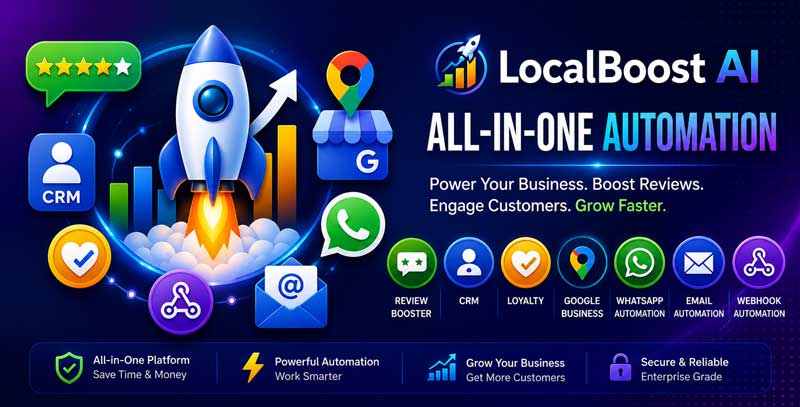
Advanced CRM – Timeline, Tags, Segments, Notes, Tasks & Customer Automation for LocalBoost AI
Advanced CRM is a professional addon module for LocalBoost AI that helps local businesses manage customer relationships, track every customer interaction, organize contacts with tags and segments, add internal notes, assign tasks, and automate customer follow-up workflows from one dashboard.
It is built for agencies, consultants, clinics, salons, spas, restaurants, gyms, retail stores, real estate teams, service providers, and local businesses that want to turn leads, bookings, reviews, coupons, forms, and customer activity into a structured CRM system inside LocalBoost AI.
With Advanced CRM Addon, LocalBoost AI users can view customer timelines, add tags, create segments, write notes, assign follow-up tasks, track customer status, and trigger customer automation based on activity, behavior, or business workflow.
✅ Advanced CRM is designed as a separate LocalBoost AI addon. It can be sold separately, enabled by plan, disabled, installed, or removed without breaking the core LocalBoost AI system.
Live Demo Access
Try LocalBoost AI before installation. Use the live demo to explore the portal, business profiles, booking pages, coupons, feedback forms, review booster, lead forms, landing pages, QR codes, analytics, Google Business integration, CRM features, and admin features.
Demo URL: https://demo.stackposts.com/localboostai
Login Credentials
- Username:
demo
- Password:
123456789
✅ Note: Some demo data may be reset periodically.
Why Choose Advanced CRM Addon?
- Built for LocalBoost AI: Manage customer relationships directly inside LocalBoost business profiles and Growth Tools.
- Customer timeline: View customer activity, notes, tasks, tags, forms, bookings, coupons, and follow-ups in one timeline.
- Tags and segments: Organize customers by status, interest, source, location, service type, or buying intent.
- Internal notes: Add private customer notes for sales, support, service, or follow-up context.
- Task management: Create follow-up tasks, assign work, set due dates, and track completion.
- Customer automation: Trigger follow-up actions based on customer activity or CRM rules.
- Lead nurturing: Move leads from first contact to booked appointment, repeat visit, review, or purchase.
- Team collaboration: Keep staff aligned with shared customer history and next actions.
- SaaS-ready: Includes plan-based access control and can be sold as a premium CRM addon.
Customer Timeline
View a complete history of customer activity in one place.
- View customer profile timeline
- Track customer creation date
- Track lead source
- View submitted forms
- View booking activity
- View coupon activity
- View feedback and review activity
- View added notes
- View assigned tasks
- View tag and segment changes
- View automation activity
- View last customer interaction
Customer Tags
Use tags to organize customers quickly and improve follow-up workflows.
- Create custom customer tags
- Assign multiple tags to one customer
- Use color-coded tags
- Tag customers by service interest
- Tag customers by sales stage
- Tag customers by lead source
- Tag VIP or repeat customers
- Tag inactive customers
- Filter customers by tag
- Use tags inside customer automation rules
Customer Segments
Create customer groups for better targeting, reporting, and follow-up.
- Create manual customer segments
- Create rule-based customer segments
- Segment customers by tag
- Segment customers by source
- Segment customers by status
- Segment customers by last activity date
- Segment customers by booking behavior
- Segment customers by coupon usage
- Segment customers by review or feedback activity
- Use segments for targeted campaigns and CRM workflows
Internal Notes
Add private notes to keep customer context available for your team.
- Add notes to customer profiles
- Edit customer notes
- Delete customer notes
- View note author
- View note date and time
- Keep service preferences
- Record sales conversations
- Store follow-up details
- Track support history
- Keep private staff-only customer context
CRM Tasks
Create and manage follow-up tasks for customers and leads.
- Create customer tasks
- Assign tasks to staff or team members
- Set task title
- Set task description
- Set due date
- Set task priority
- Set task status
- Mark tasks as completed
- View overdue tasks
- Filter tasks by customer
- Track follow-up activity
Customer Automation
Automate CRM actions based on customer activity and business rules.
- Automatically apply tags
- Automatically add customers to segments
- Create follow-up tasks automatically
- Trigger automation after form submission
- Trigger automation after booking activity
- Trigger automation after coupon activity
- Trigger automation after feedback submission
- Trigger automation after review booster activity
- Trigger automation for inactive customers
- Trigger automation for new leads
- Support basic customer lifecycle workflows
Supported CRM Workflow Examples
- New lead: Customer submits lead form → System creates CRM profile → Adds New Lead tag → Creates follow-up task.
- Booking follow-up: Customer books appointment → System updates timeline → Adds Booked tag → Staff follows up after visit.
- Coupon interest: Customer claims coupon → System adds Coupon Lead tag → Customer enters promotion segment.
- Review workflow: Customer submits positive feedback → System records timeline activity → Staff sends review request.
- Inactive customer: Customer has no activity for a period → System adds Inactive tag → Creates reactivation task.
Customer Profiles
- View customer name
- View phone number
- View email address
- View business profile association
- View source
- View customer status
- View assigned tags
- View assigned segments
- View notes
- View tasks
- View timeline activity
- View last interaction date
Lead & Customer Status Tracking
Track where each customer is in the local business relationship lifecycle.
- New lead
- Contacted
- Qualified
- Booked
- Visited
- Repeat customer
- VIP customer
- Inactive customer
- Lost lead
- Custom customer status
Dashboard & Reporting
Monitor CRM activity and customer follow-up performance from one workspace.
- Total CRM customers
- New leads
- Active customers
- Customers by tag
- Customers by segment
- Open tasks
- Overdue tasks
- Completed tasks
- Recent customer activity
- Customer source overview
- Customer timeline activity table
- CRM task table
Plan & Pricing Integration
Advanced CRM Addon is designed for SaaS monetization and plan-based control.
- Enable or disable Advanced CRM addon by plan
- Limit CRM customers by plan
- Limit customer tags by plan
- Limit customer segments by plan
- Enable or disable notes by plan
- Enable or disable tasks by plan
- Enable or disable automation by plan
- Sell as a premium addon
- Bundle with LocalBoost AI higher-tier plans
- Admin-controlled feature access
Module-Based Architecture
- Separate addon module
- Separate database tables
- Separate routes and menus
- Separate plan feature keys
- Separate CRM automation logic
- Safe install and uninstall approach
- Does not break core LocalBoost AI when removed
- Can be sold independently from other addons
Database Tables
lb_crm_customerslb_crm_tagslb_crm_customer_tagslb_crm_segmentslb_crm_customer_segmentslb_crm_noteslb_crm_taskslb_crm_timelinelb_crm_automations
Example Workflows
- Create CRM customer: Lead submits a form → System creates customer profile → Customer appears in CRM dashboard.
- Add customer context: Staff opens profile → Adds note → Applies tags → Assigns customer to segment.
- Follow up with lead: Staff creates task → Sets due date → Marks task complete after contact.
- Automate CRM action: Customer claims coupon → System adds Coupon Lead tag → Creates follow-up task.
- Track relationship history: Business views timeline → Reviews forms, bookings, notes, tasks, and customer activity.
Who Is Advanced CRM Addon For?
- Local businesses that want better customer tracking
- Agencies managing leads and customers for local clients
- Clinics that need patient inquiry follow-up
- Salons and spas managing repeat customers
- Restaurants tracking VIP customers and coupon leads
- Gyms and studios managing trial leads and members
- Retail stores managing customer interest and promotions
- Consultants and service providers managing sales follow-up
- SaaS owners who want to sell CRM features as a premium addon
Key Benefits
- Centralize customer data
- Track every customer interaction
- Improve lead follow-up
- Organize customers with tags and segments
- Keep internal notes for staff context
- Assign and complete customer tasks
- Automate repetitive CRM actions
- Improve customer retention
- Increase conversion from leads to bookings
- Add a premium CRM feature to LocalBoost AI plans
Admin & SaaS Features
- Plan-based module access
- CRM customer limits
- Tag and segment limits
- Notes access control
- Task access control
- Automation access control
- Admin-controlled feature availability
- Compatible with LocalBoost AI subscription plans
- Designed for addon-based monetization
Server Requirements
- Compatible LocalBoost AI version
- PHP and Laravel environment supported by LocalBoost AI
- Database migration support
- Queue or cron support recommended for automation workflows
- Email or notification configuration recommended for task reminders
- Valid public URL recommended for customer-facing workflows
- SSL certificate recommended for production
Important Notice
- This is an addon module for LocalBoost AI and requires LocalBoost AI to run.
- Free installation and free customization are not included unless stated separately.
- Support does not include custom CRM workflow development unless stated separately.
- Customer tags, segments, notes, tasks, and automation rules are controlled by the business owner.
- Businesses are responsible for managing customer data, follow-up processes, and compliance requirements.
- Automation workflows depend on available customer activity and LocalBoost AI system configuration.
Third-Party Disclaimer
Advanced CRM Addon may depend on hosting environments, database configuration, cron or queue setup, email configuration, customer data entered by users, and LocalBoost AI system settings. These services or environments may vary by server setup. We provide updates whenever possible, but permanent compatibility with every hosting environment, customization, or external service cannot be guaranteed.

 −40%
−40%

 −40%
−40%
 −50%
−50%
 −40%
−40%